
|
Writing Help Topics / Using the Word Processor / Word Processor: Overview |
Send comments on this topic |
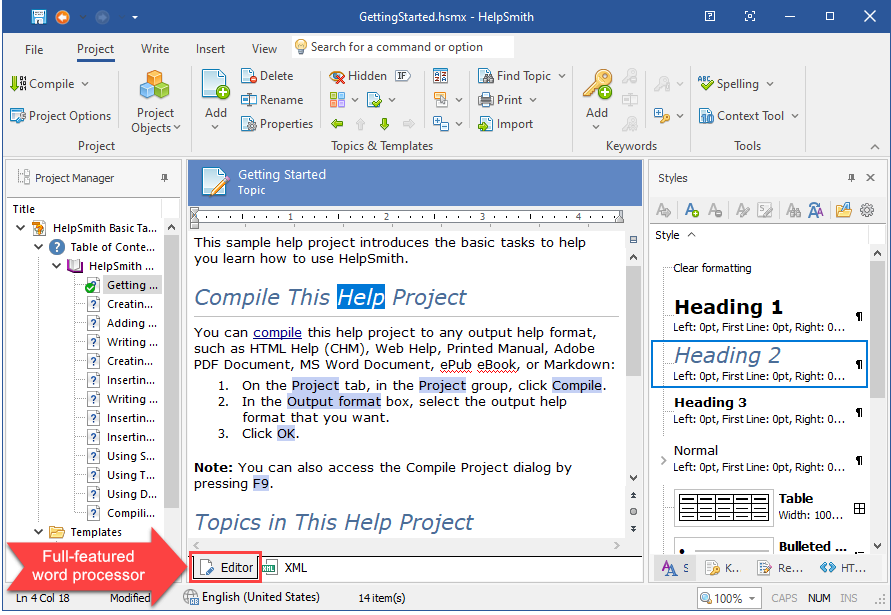
HelpSmith includes a full-featured word processor that allows you to write content using different formatting attributes or dynamic styles, insert tables, graphic and video files, bulleted and numbered lists, hyperlinks, bookmarks, variables, conditional text, and other objects. Most actions in the HelpSmith's word processor are similar to other word processing applications that you may be familiar with.
Edit a Topic or Template
To open a topic or template for editing in the word processor, you can simply click it in the Project Manager.
Using the Word Processor
•Modifying Paragraph Properties
Copyright © 2007-2026 HelpSmith.com