|
Navigation: Writing Help Topics > Dynamic Styles > Style Properties |
Send comments on this topic.
|
|
Navigation: Writing Help Topics > Dynamic Styles > Style Properties |
Send comments on this topic.
|
1.On the View tab, in the Tool Panels & Toolbars group, click Styles.
2.In the Styles pane, click the style that you want to modify.
3.On the toolbar at the top of the Styles pane, click Modify.
4.In the dialog, change the settings you want.
5.Click OK.
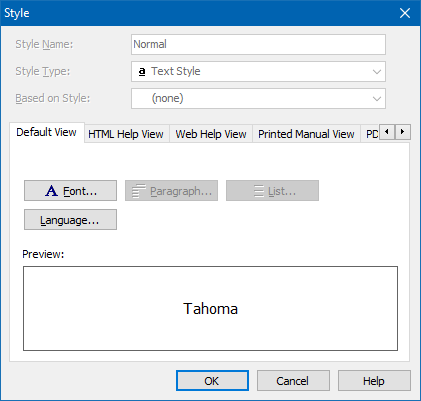
Style Name
A unique name which is used as the style identifier.
Style Type
Specifies the style type.
Note: The style type cannot be modified for an existing style.
Based on Style
The base style whose formatting settings the style can inherit or override.
Note: You can modify this value at any time to change the base style of an existing style, or set it to None, so the style will become a stand-alone style.
Font
Allows you to change font settings of a text style.
Language
Allows you to change language settings of a text style.
Paragraph
Allows you to change paragraph settings of a paragraph style.
List
Allows you to change list settings of a list style.
User style
If selected, it is implied that the style was created by the user.
If this option is not checked, it is implied that the style was automatically created and can be automatically deleted in case it is no longer used by any content.
Copyright © 2007-2024 HelpSmith.com


