|
Navigation: Writing Help Topics > Document Formatting Settings > Modifying Font Properties |
Send comments on this topic.
|
|
Navigation: Writing Help Topics > Document Formatting Settings > Modifying Font Properties |
Send comments on this topic.
|
1.Select the text that you want to change.
2.On the Write tab, in the Font group, you can set Font, Size, Color, and other attributes.
You can use the formatting options Mini toolbar to quickly format text. The Mini toolbar appears automatically when you select text. It also appears with the menu when you select text and then right-click.
1.Select the text that you want to change, and move your pointer to the Mini toolbar that appears with your text selection.
2.Set the desired font options available on the Mini toolbar.
You can also change font settings of selected text using the Font dialog.
1.Select the text that you want to change.
2.On the Write tab, in the Font group, click the Font dialog launcher in the lower right-hand corner.
3.In the dialog, you can set Font, Style, Size, Color, Highlight Color, and other font settings.
4.Click OK.
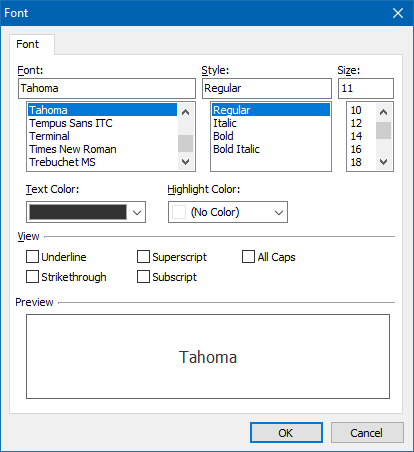
The Font dialog
HelpSmith's word processor stores all formatting data in dynamic styles, which means that you can setup and re-use dynamic styles for content with similar formatting attributes. For full information on using dynamic styles, please refer to this topic.
To apply a dynamic style to text:
1.Select the text that you want to associate with a style.
2.On the View tab, click Styles.
3.In the Styles pane, double-click the style you want to apply.
•Modifying Paragraph Properties
Copyright © 2007-2024 HelpSmith.com


